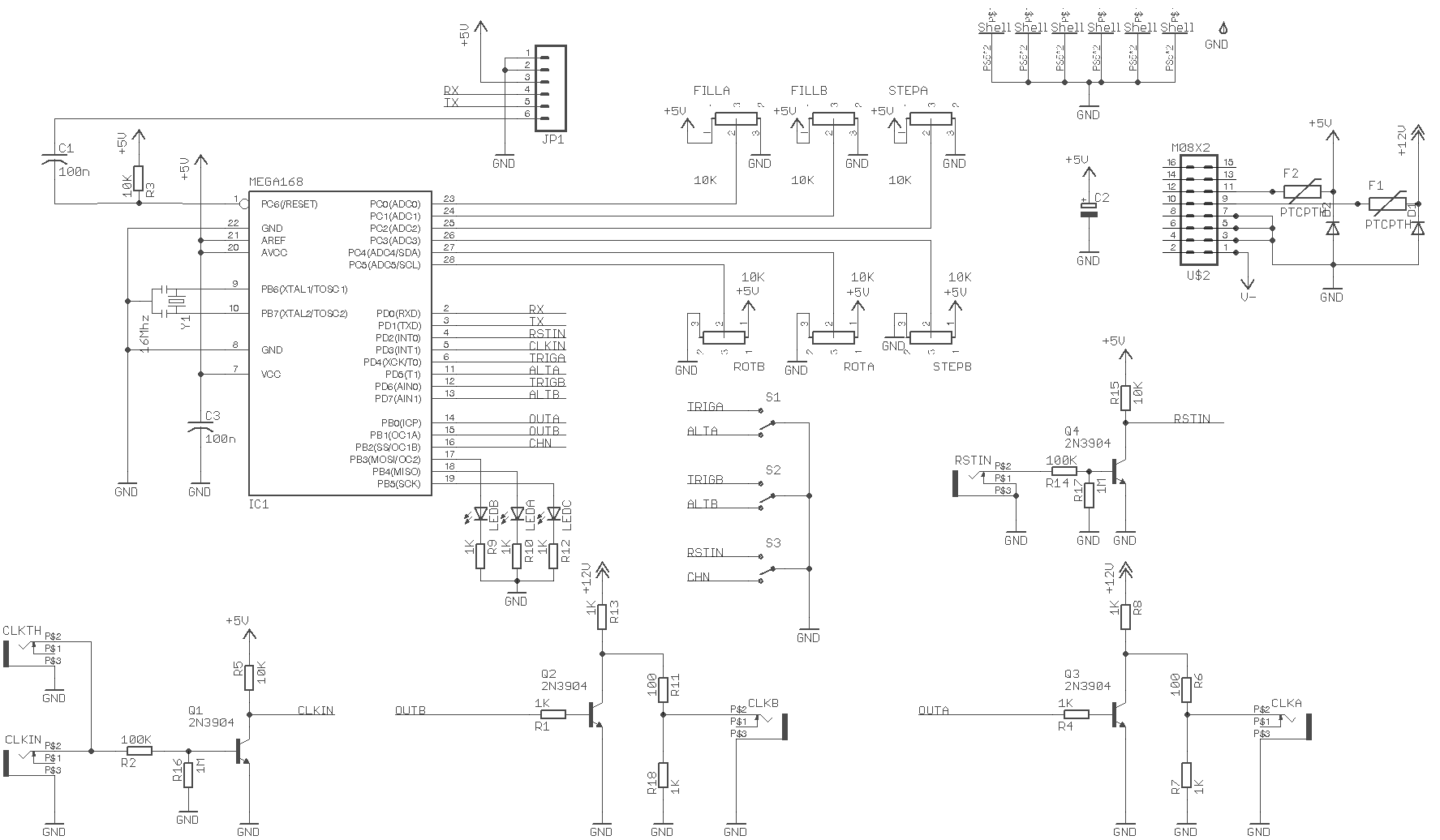
As an experienced Eurorack musician, you know that modular rigs let you patch up endless grooves, melodies, and textures, but turning those short loops and patterns into enticing, evolving, song-length pieces is another art form entirely. The Stoicheia dual Euclidean sequencer (see full manual above) is a powerful tool for rhythmic organization and transformation—let’s break down practical strategies to use it for full-length arrangement and performance.
Patch Idea:
- Use one channel for drums (e.g., kick), the other for hats or claps.
- Vary length and fills (manually, with CV if using external utilities, or with an external controller).
- Use rotation control for subtle groove changes—especially effective for fills or breaking monotony.
Song Programming:
- Use a sequencer or automation module (like Planar2, Tetrapad, or Pamela's New Workout expander) to change Stoicheia parameters at pre-planned moments.
- Program “sections” (e.g., A/B/C/Break) by reconfiguring the fills, length, or rotating the patterns.
- Send timed reset triggers from another sequencer, clock divider/multiplier (like Pamela's New Workout or Clock Divider), or even a DAW-clocked impulse, to synchronize scene changes.
Patch Idea:
- Set Chained Mode to combine the two internal sequencers into longer, non-repeating patterns.
- Example: First channel 12 steps, second 4 steps = 16-step cycle, but with shifting downbeats over time.
- Use this for polyrhythmic interest, intro/outro sections, or “verse/chorus” contrast.
Practical Use:
- Dynamically switch into Chained Mode during a performance to introduce a new section or to grow rhythmic complexity.
- Reset at phrase boundaries for tight transitions.
Patch Idea:
- Use both channels for percussive voices: kick/snare, tom/clap, etc.
- Cross-patch the two outputs to trigger different drum modules, envelope generators, or clock other event-sequencing tools (e.g., Mutable Instruments Branches, Rene, Pressure Points).
- Use a sequential switch or matrix mixer (e.g., Doepfer A-151, Livestock Electronics Maze) to alternate or layer Stoicheia’s outputs throughout your song.
Song Programming:
- Vary which percussion instruments are triggered by using mute switches or sequential switches, allowing arrangement evolution over time.
Patch Idea:
- Use external reset triggers (from a performance controller, random gate, or even your DAW) to unsync periodicity, creating intentional glitches or reset points—great for breakdowns, fills, or transitions.
Integrating Melody/Bass: - Use Stoicheia patterns to trigger note events in a pitch sequencer (e.g., Voltage Block, Metropolis, O_C, or Arturia Keystep) to drive melodies/bass lines in rhythmically evolving ways. - Alternate between Euclidean pulses and regular straight clocks to the same sequencer for “verse/chorus” transitions.
| Section | Pattern Length | Fills | Mode | Other Actions |
|---|---|---|---|---|
| Intro | 8 | 1-2 | Trigger | Minimal percussion |
| Build | 8 | 3-5 | Trigger | Add hats, more fills over time |
| Drop | 8 or Chained | 6-8 | Chained | Upshift fills/length, layer outputs |
| Break | 16 | 2-4 | Alternating | Trigger melody, rotate patterns |
| Outro | 4-8 | 1-2 | Trigger | Reduce to minimal, then full stop |
Throughout: Use reset inputs, switch modes, and rotate patterns for bridges/fills.
With careful use of Stoicheia’s parameter changes, chaining, and sync/reset, you can morph static loops into full-length, expressive modular songs. Pair it with scene control, manual or automated modulation, and clever cross-patching for truly dynamic modular compositions.